
The official WhatsApp API is Very Costly!!!
Per-Message fees, template approvals, and a business-manager maze — before you have even started your business properly!!!
One QR scan connects the number you already own. Then MyDigiBiz adds a free storefront, automatic order updates, campaigns, group drips, auto-replies, channels, and a developer API on top — with no per-message fees, ever.
MyDigiBiz · Automations
running · on your own number
Group drips, scheduled Status & channel posts — all firing automatically from your own number.
0
Automation Tools
0
Free tools, No signup
24/7
Automation
₹0/msg
per-post fees.
The problem
Per-Message fees, template approvals, and a business-manager maze — before you have even started your business properly!!!
Using third part bulk message blasting tools ctrongly violates Meta's policies and leads to your number getting blocked forever!!!
Forwarding posts into 10's of groups, posting status daily, tracking who has seen them, copy-pasting order updates feels too much to handle!!!
MyDigiBiz gives your existing WhatsApp number automation superpowers.
You focus on your business while your WhatsApp Marketings runs on Autopilot.
Why MyDigiBiz
Instead of just Sending 1000\'s of messages to unknown people, We help you market you business to your contact and community. Where most of the small business sales happen.
90%
of consumers trust recommendations from people they know
more than any other form of advertising
84%
take action based on recommendations from friends and family
the world's most trusted marketing channel
21%
higher customer retention for brands with active communities
Community isn't a feature. It's a growth strategy.
99%
people you know use WhatsApp as well
best way to market to them.
Industry figures for WhatsApp vs email/SMS engagement — your results depend on your list and offer.
How it works
Just connect your WhatsApp and Schedule your group postings and statues. Easy Peasy.
Open WhatsApp, scan one QR code, and your number is connected. No SIM swap, no new app for your customers.
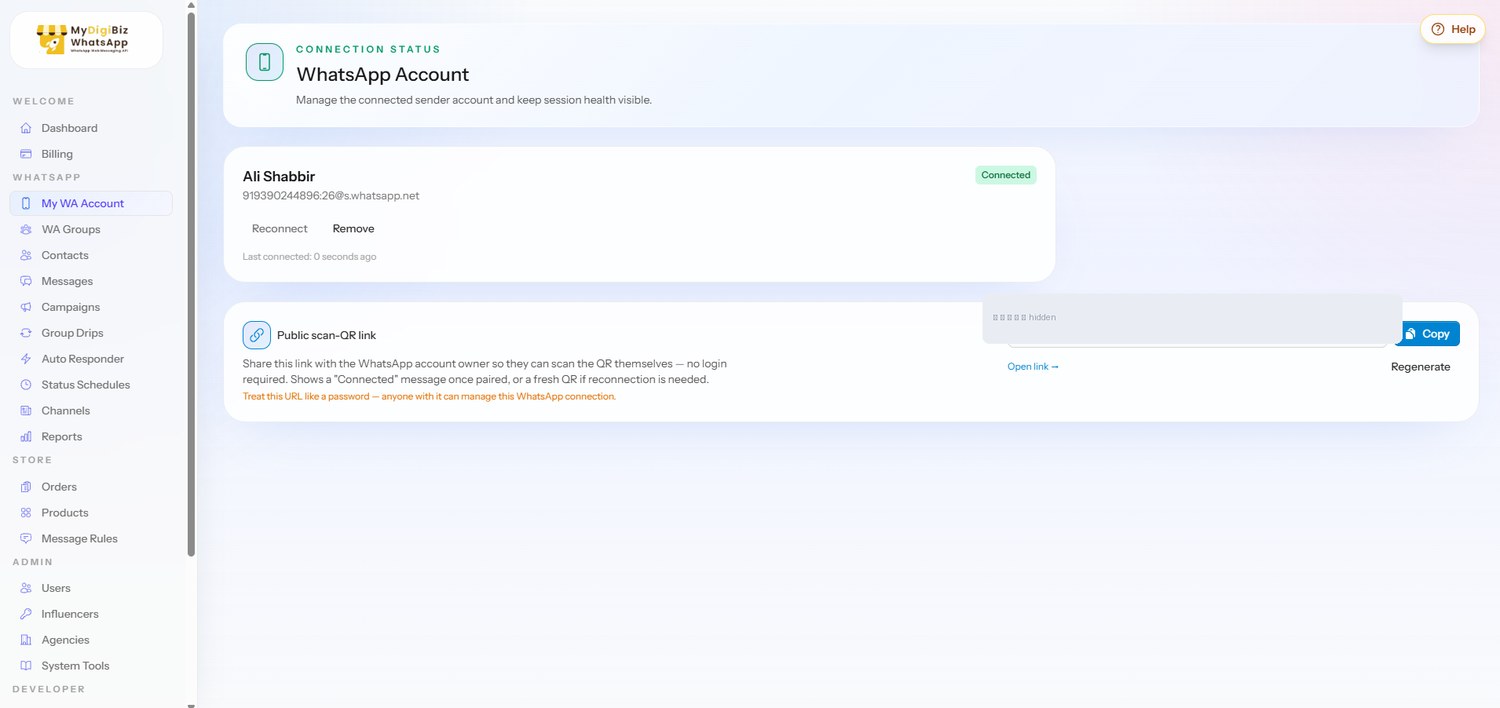
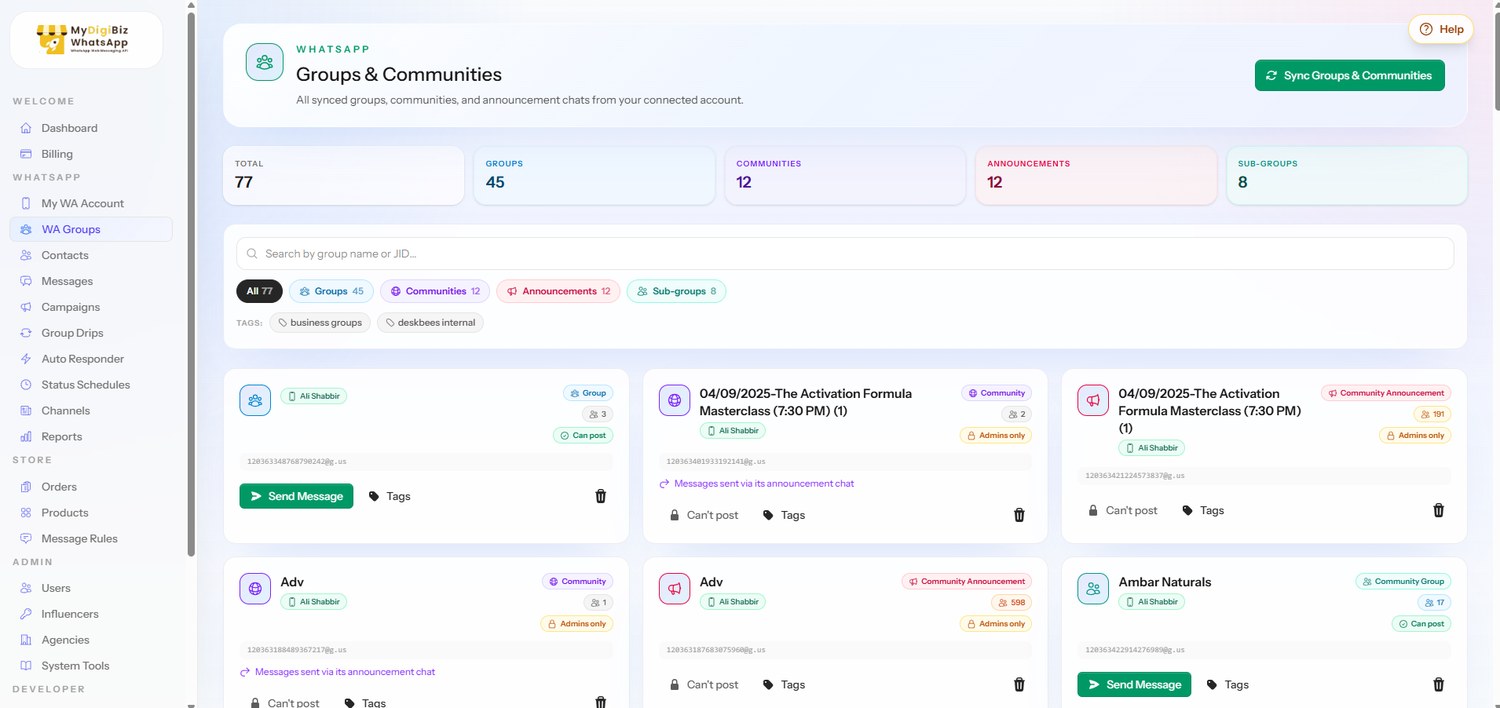
Sync your groups and contacts, import CSVs, and pipe in leads from WordPress forms and WooCommerce orders.
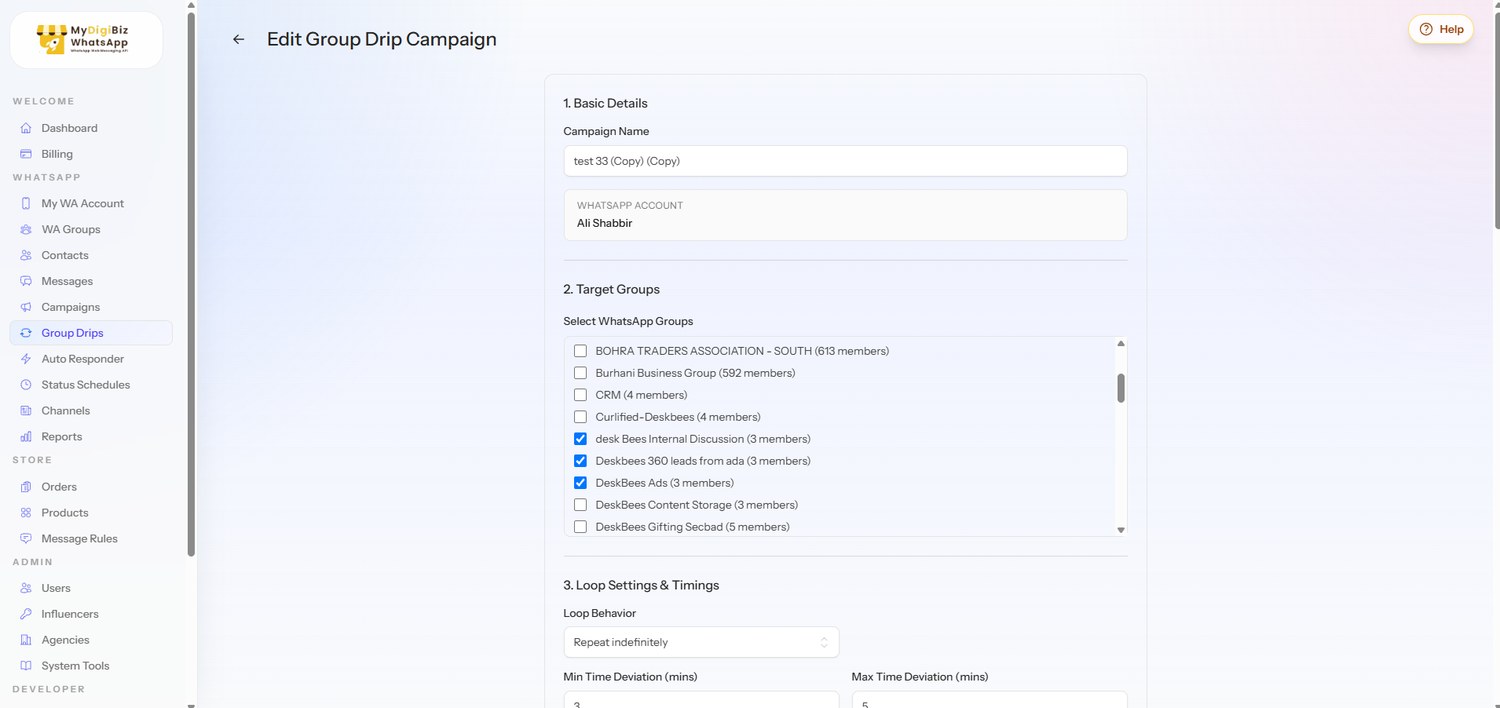
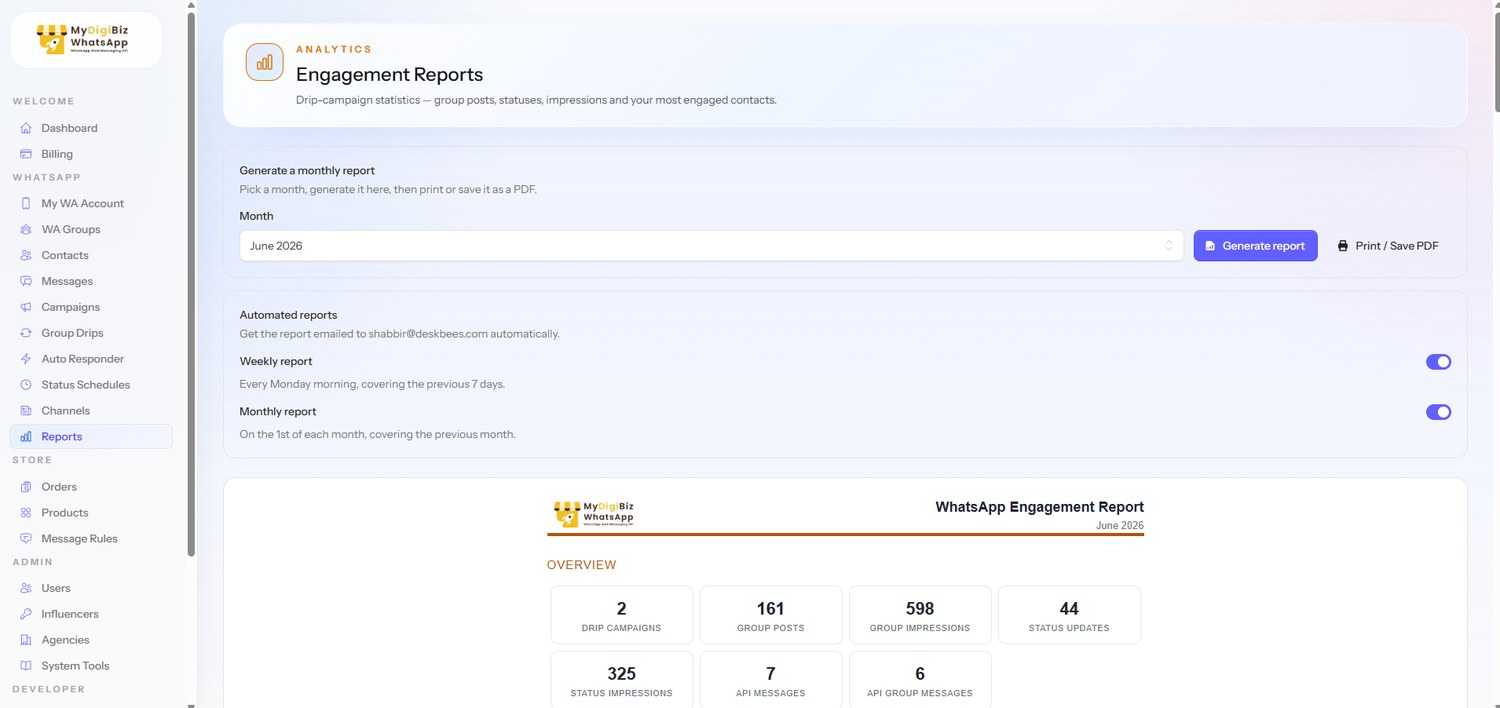
Launch Group campaigns, Group drips, Schedule Status, view analytics, generate report and much more...
The engines that do the work
Group drips, scheduled Status, and the analytics that prove it worked — the trio serious sellers live in.
Write a day-by-day message plan once, target dozens of WhatsApp groups by tag, and let MyDigiBiz post each step on schedule. Loop it finite or forever, and mirror any day's creative straight to Status.
Festive Launch — 7-day drip
42 groups · tag: #retail-buyers
Status schedule
This weekNew arrivals story
Mon 9:00 AM
Midweek offer 🎁
Wed 12:30 PM
Weekend special ☕
Fri 6:00 PM
Restock reminder
Sun 10:00 AM
Your Status is a free daily touchpoint every contact already checks. Line up stories days in advance and MyDigiBiz posts each one at the exact time you picked — no phone-in-hand required.
Every drip post and Status update reports real impressions. MyDigiBiz rolls it into a monthly dashboard — group reach, Status reach, and your most engaged contacts — and emails it to you automatically.
Engagement report
This month12
Drip campaigns
318
Group posts
24.7k
Group impressions
9.1k
Status impressions
Impressions · last 7 posts
Top contacts by impressions
The full arsenal
Target contact groups or WhatsApp groups, attach media, schedule starts, then let daily windows, per-group delays, and randomized pacing protect your number.
Day-wise message plans across many groups at once — pick targets by tag, loop finite or infinite, optionally mirror creatives to Status.
Keyword, exact-match, or catch-all responders.
Manage WhatsApp Channels, post updates, and schedule Status stories in advance — your daily touchpoint, automated.
WordPress Contact Form 7 submissions, WooCommerce order alerts, CSV imports, and WhatsApp contact sync — organized into groups and tags.
Randomized send gaps, No bulk messaging options, Aggressive tools burn numbers — ours protects them.
Also inside: group sync & tagging, reusable templates, polls, WhatsApp Channels management, and a full contacts CRM.
A look inside
Clean, fast, and built for people who run a business — not a marketing team.
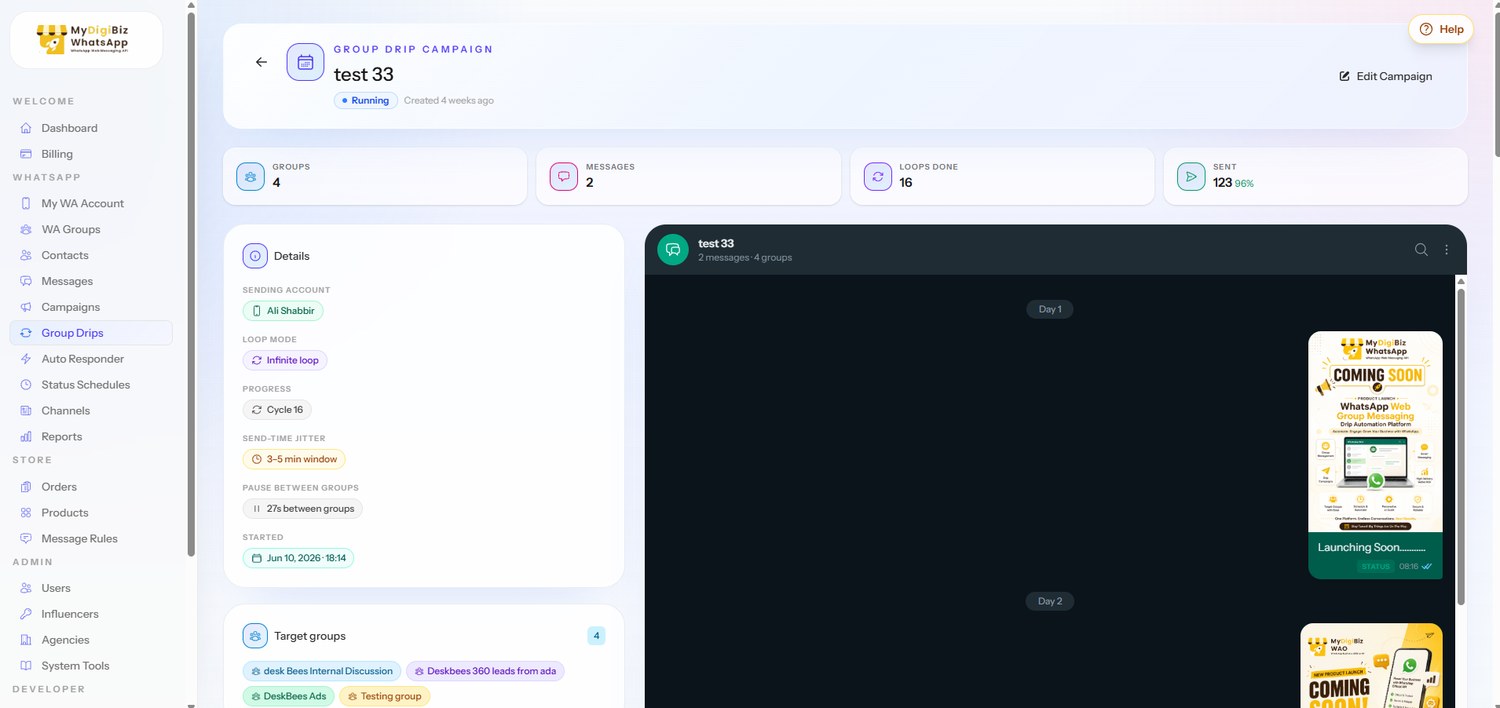
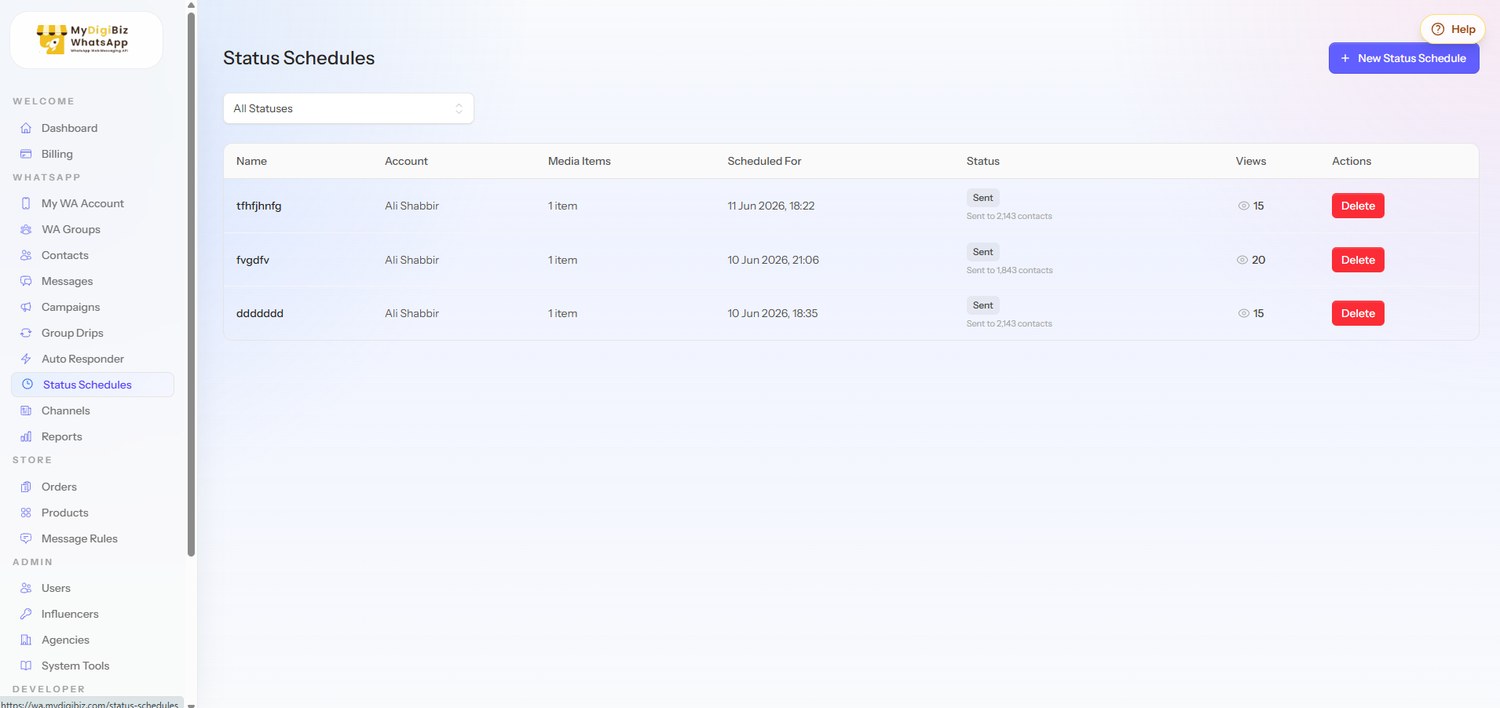
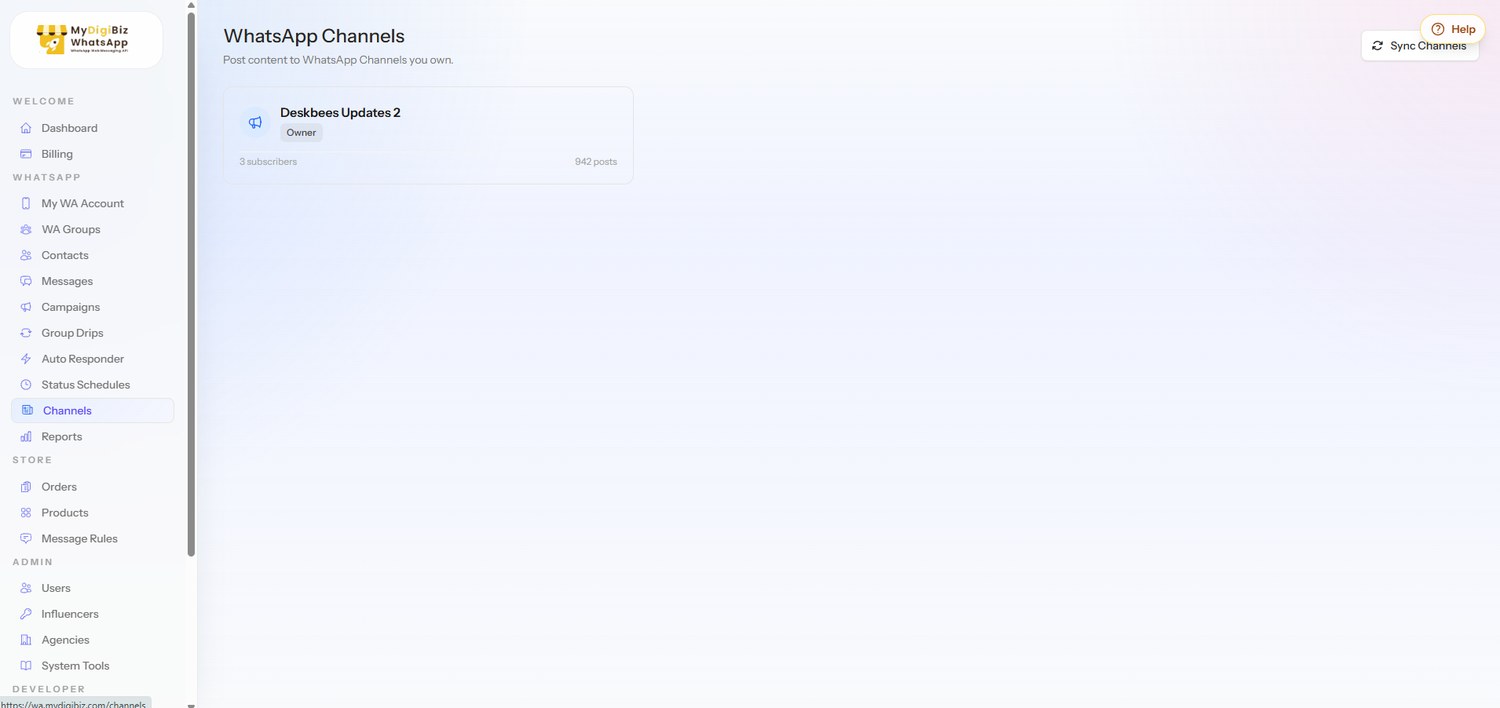
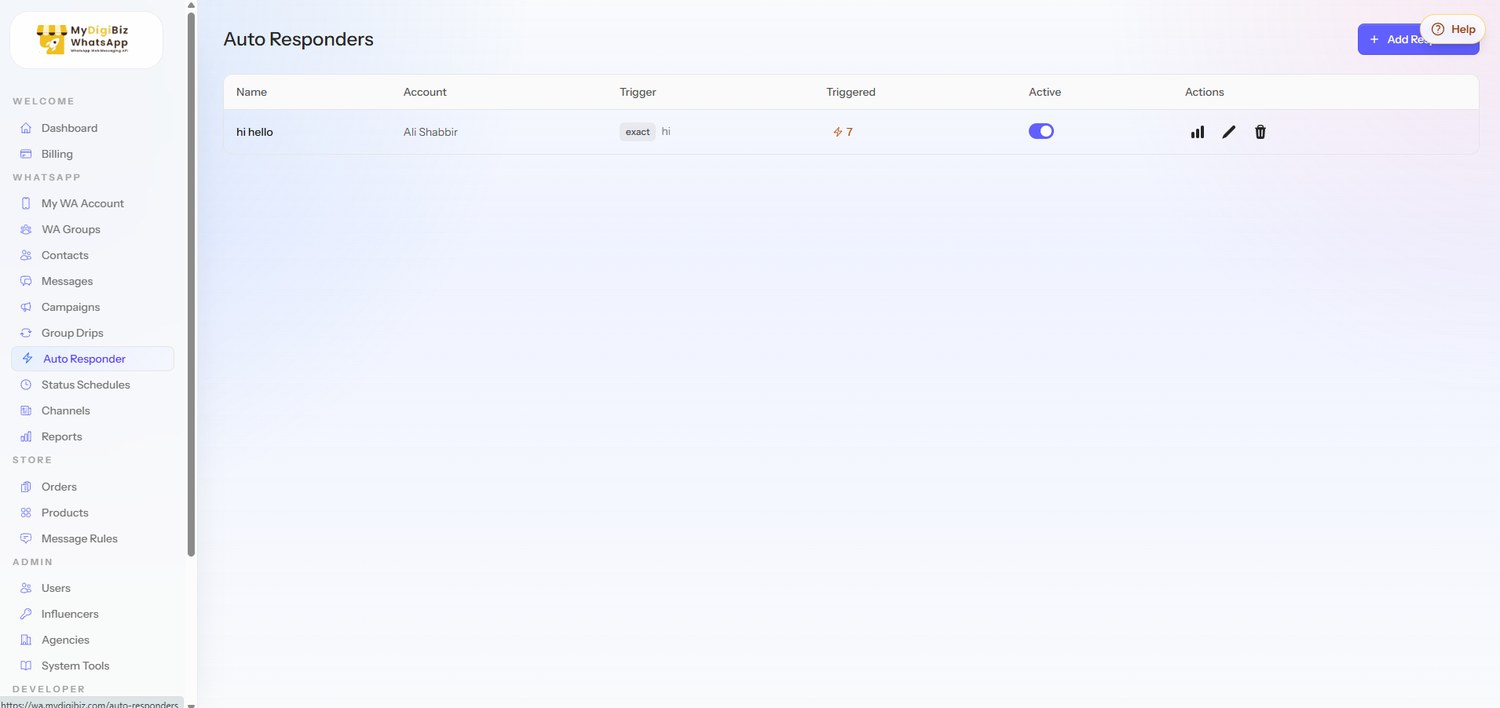
Share your free store link. Customers order in two taps — no app, no login. Orders land on your kanban board, and every status change sends the right WhatsApp message automatically, from your own number.
Priya's Bakery
online · automated by MyDigiBiz
Every message sent automatically — from your own number. You run the business.
What your customer sees
Image slot
Your storefront on mobile
The public /shop link — products, prices, no login.
Image slot
Two-tap checkout
Name, number, done. The whole order in one screen.
Image slot
Order confirmation in WhatsApp
The automatic message that lands in their chat.
Start free — literally right now
Create wa.me links and QR codes for any number and message.
Use freeUpload a CSV, get hundreds of personalized message links.
Use freeBold, italic, strikethrough, monospace — preview before you send.
Use freeSee what the official API would really cost you per month.
Use freeScore your sending habits before WhatsApp scores them for you.
Use freeTest your message copy against common spam triggers.
Use freeGenerate UPI deep links and QR codes for instant collections.
Use freePrint-ready "Chat with us" standee PDFs for your counter.
Use freeFor developers
Generate a token, read the in-app docs, and trigger sends from your CRM, your scripts, or your side project. WordPress Contact Form 7 and WooCommerce plugins ship in the box.
/api/v1/accounts
Resolve the connected account behind a token
/api/v1/groups
List every group on the connected number
/api/v1/messages/send-text
Send text to any number or JID
/api/v1/messages/send-media
Send images, video, and documents with captions
/api/v1/messages/send-group
Deliver straight into a WhatsApp group
# One curl. Straight into their chat.
curl -X POST http://wa.mydigibiz.com/api/v1/messages/send-text \
  -H "Authorization: Bearer $TOKEN" \
  -H "Content-Type: application/json" \
  -d '{
    "number": "919876543210",
    "message": "Your order #412 just shipped! 🛵"
  }'

# → 200 OK
{ "status": "sent", "messageId": "3EB0..." }▍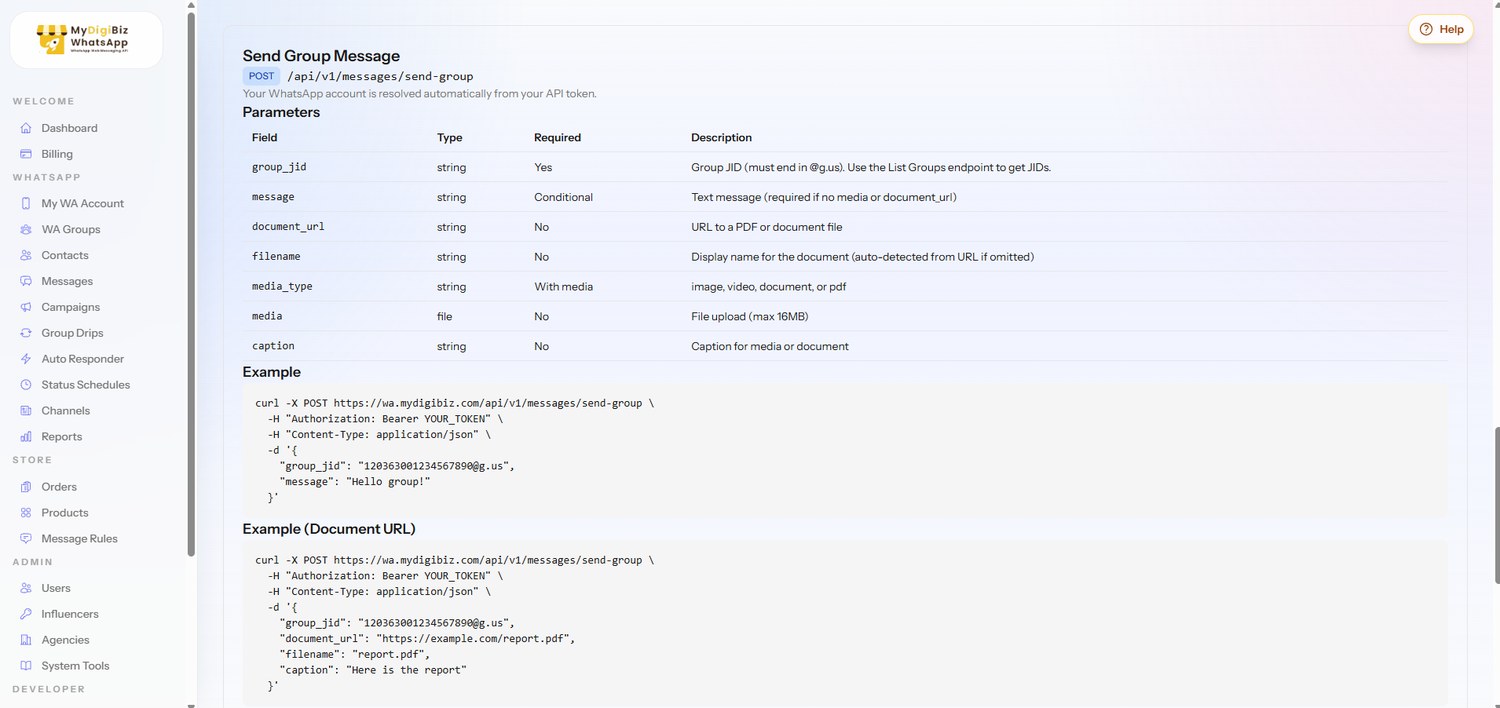
Trusted by small businesses on WhatsApp
Image slot
Logo 1
Image slot
Logo 2
Image slot
Logo 3
Image slot
Logo 4
Image slot
Logo 5
Image slot
Logo 6
“Drop a real customer quote here once you collect one — how much time they save, or how many more orders they close.”
Image slot
Order photo / owner headshot
Customer name
Bakery & home kitchen
“Drop a real customer quote here once you collect one — how much time they save, or how many more orders they close.”
Image slot
Store photo / owner headshot
Customer name
Boutique & fashion reseller
“Drop a real customer quote here once you collect one — how much time they save, or how many more orders they close.”
Image slot
Owner headshot / workspace
Customer name
Coaching & services
Pricing
Less than your morning chai — for a workspace that sells, replies, and follows up all day.
✓ No per-message fees
✓ No template approvals
✓ No surprise add-ons
Try the 8 free tools first — no account needed.
✓ QR-connected WhatsApp account & session management
✓ Free public storefront + order board + lifecycle messages
✓ Broadcast campaigns with scheduling & pacing controls
✓ Group drip sequences with tags & loop rules
✓ Auto responders & visual bot flows
✓ WhatsApp Channels & Status scheduling
✓ Group sync, tagging & direct group sends
✓ Contacts: CSV import, WhatsApp sync, contact groups
✓ WordPress CF7 + WooCommerce plugins included
✓ Templates, polls & message tools
✓ Developer API tokens + in-app documentation
✓ Anti-ban pacing, quiet hours, opt-out compliance
Straight answers
No — and that is the point. MyDigiBiz connects the WhatsApp number you already own through a QR-based session, the same way WhatsApp Web works. That is why there are no per-message fees, no template approvals, and no business-manager setup. You message as yourself, from your own number.
No tool can promise zero risk — anyone who does is lying to you. What we can promise: every send passes through randomized pacing, per-session rate limits, warm-up ramps for new numbers, frequency caps, quiet hours, and automatic opt-out handling. The whole engine is designed around keeping your number healthy, and we recommend a dedicated business number.
Nothing. Your storefront is a normal web link, and every update lands in the WhatsApp chat they already use. To them it just looks like you replying — instantly, every time.
You get a public shop link with your products. Customers order in two taps — no login, no app. Orders land on your kanban board, and confirmations, payment receipts, and shipping updates go out automatically from your own number as you move each order forward.
Yes. Generate API tokens in the app and use documented endpoints for accounts, groups, text sends, media sends, and group sends. WordPress Contact Form 7 and WooCommerce plugins are included out of the box.
One plan: ₹2,499 per year — about ₹6.8 a day. Everything listed on this page is included. No per-message fees, no seat pricing, no surprise add-ons.
Create an account, get approved, scan the QR code, and your first automated message can go out the same day. The 8 free tools work right now, without an account.
One QR scan today. A storefront, a sales assistant, and a follow-up machine by tonight.